
The Record Sheet is a report that shows all the accumulated hours recorded by each and every member of your team. Each day will show the total hours worked by each worker, registered with the Timer or added manually.

The report allows you to track the time used by your collaborators, understand what workload they have, and you can use the filter to determine what period you want to consider, see the hours worked for a particular client, see a specific project and what has been worked by a particular team. Knowing this will allow you to understand how your team distributes its time and better manage your resources.
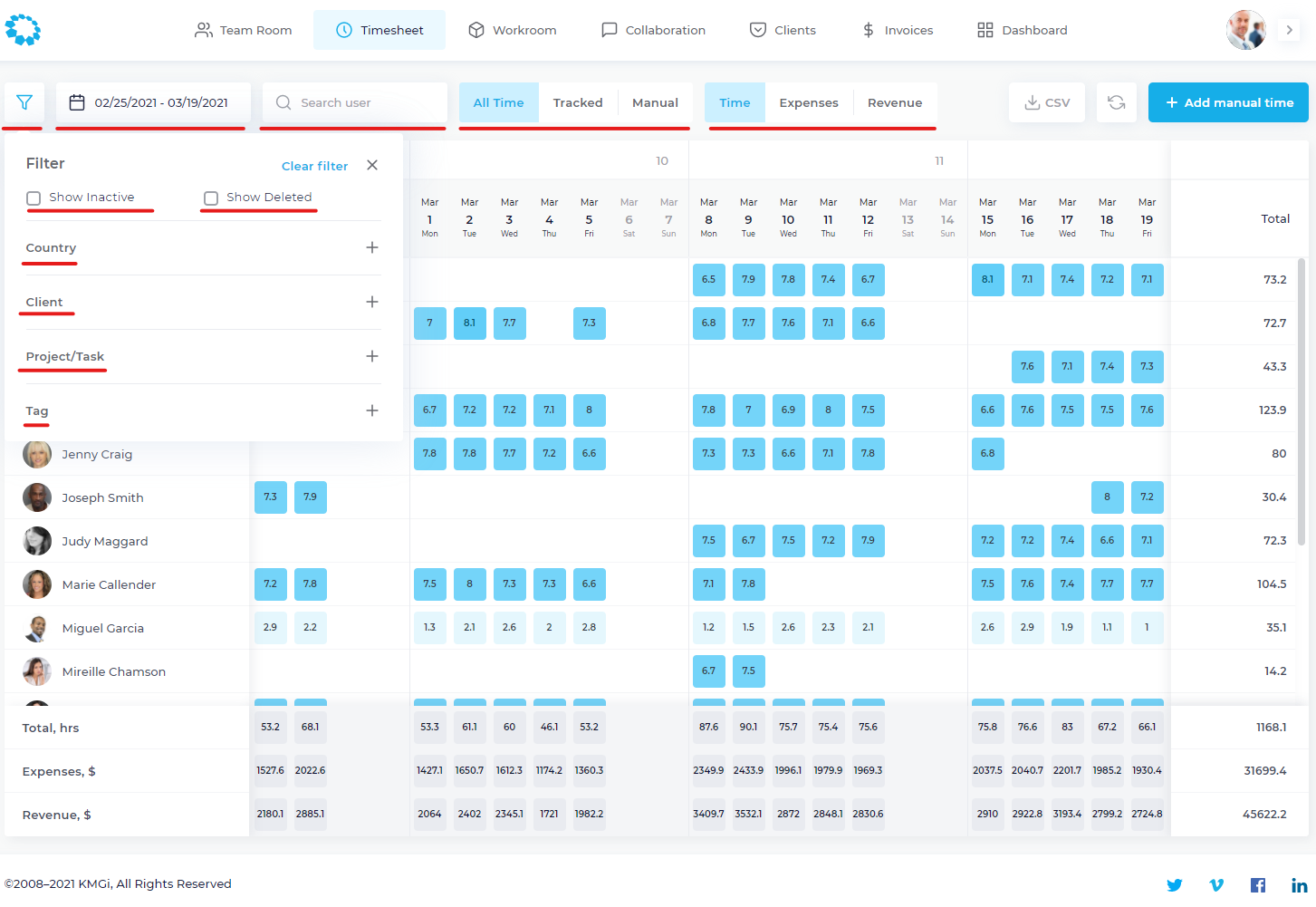
The set of filters at the top will help you play with all the available information.
You can:
- See the hours entered automatically with the Timer, selecting "Recorded Time".
- See the hours entered manually, selecting "Manual Time".
- View only hours accrued by workers on a specific project or those tagged with a specific tag.
- See the USD equivalent of your collaborators' hourly rates.
- Select the start and end date of the time period you want to see.
- You can also download this file in CSV format, and then export it to Excel.
- Access the screenshots recorded on a particular day by a person on your team.
Comments
0 comments
Please sign in to leave a comment.